Capture or add the source
Record or import the permitted sample conversation, or start with text. Use a recognisable name so you can find the material later. Keep track of the source and the purpose of the evaluation.

WordHeld workflow guide
Use WordHeld’s on-device AI transcription to turn a recording into editable working material, with the original audio available for review.
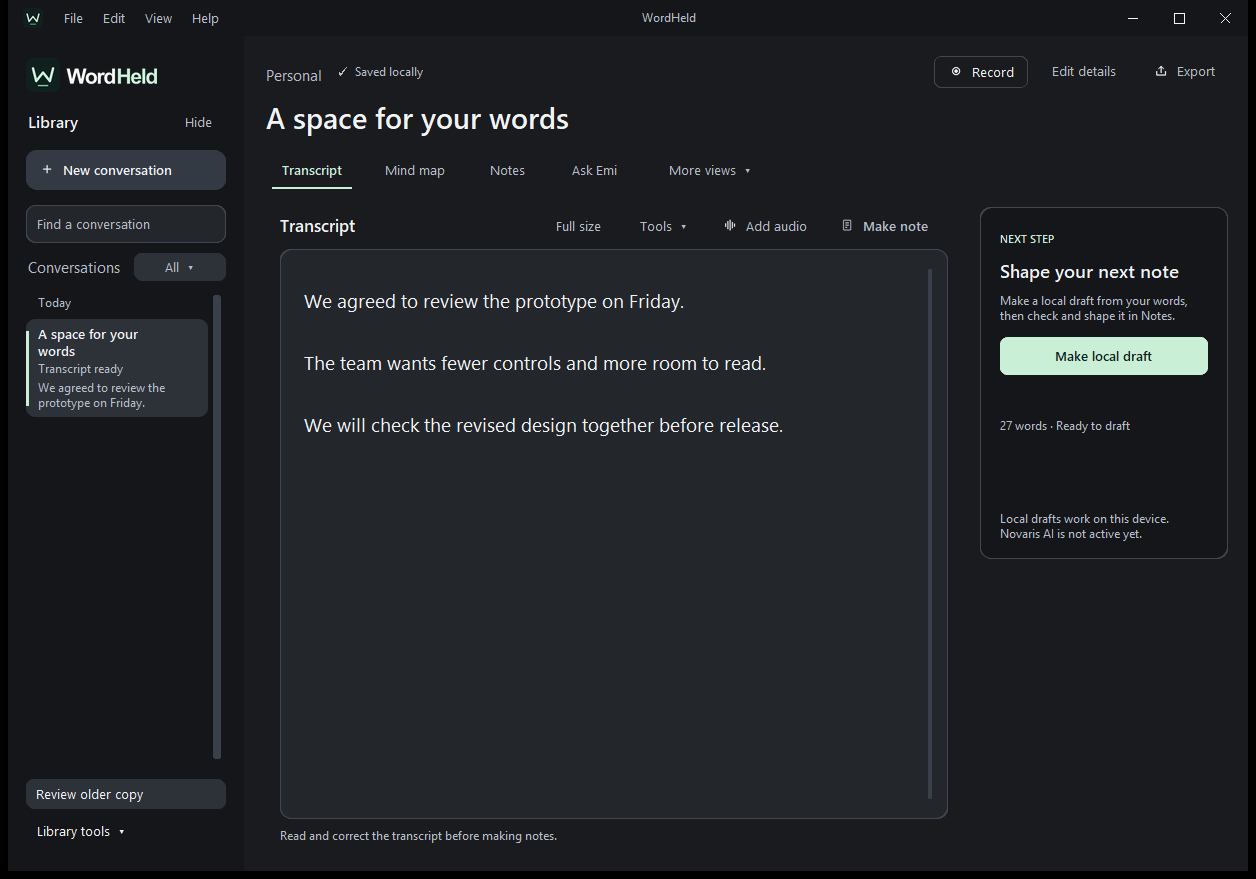
WordHeld’s current locally tested package is a Windows beta. Ask NovaSoft about evaluation access; there is no public installer linked on this company website. Start with a short, non-sensitive recording you have permission to use, or with fictional sample text.
The current workflow supports recording or adding an audio file, and writing or pasting text. Speech recognition runs on the device after the initial model download. Allow for that first download when preparing an evaluation; local transcription does not mean the initial setup requires no network access.
Record or import the permitted sample conversation, or start with text. Use a recognisable name so you can find the material later. Keep track of the source and the purpose of the evaluation.
Read the transcript and check important names, dates, amounts and decisions against the recording. Correct errors before treating the text as a dependable record. A readable transcript can still contain recognition mistakes.
Review editable notes, summaries and suggested next steps. Keep decisions separate from possibilities, and check who actually agreed to an action. The draft should help you return to the source rather than replace that review.
Add, move or edit map topics and inspect the transcript passages linked to them. A useful topic points back to evidence you can check. Edit a connection when it does not reflect what the conversation actually says.
Use Emi to search the local library and review the matching excerpts. Deliberate voice input supports a small set of local commands; Emi does not listen continuously in the background.
In a fictional project discussion, one speaker proposes a Friday launch and another says approval is still needed. The useful notes should preserve both points. A draft that records Friday as an agreed launch date needs correction, even if the transcript itself is accurate.
Make this a practical evaluation: can you find the relevant passage, correct the interpretation and return to it later? That tells you more about suitability than a polished screenshot of a summary.
How accurate it is depends on the recording. The screenshots show how the app works, not how accurate it will be with your audio.
The local library keeps the current working material on the device. Manual transfer and backup are separate from automatic synchronisation. Review recordings, exported files and older copies as part of your own handling and retention decisions.
A managed NovaSoft Orbit cloud companion is being prepared and remains gated. macOS support is in development and phone builds are prototypes. This guide covers the current Windows beta, not those planned experiences. WordHeld is not clinically validated, and clinical cloud processing remains unavailable.
No. Try it with your own recordings and always check the transcript against the audio.
No. It covers the current Windows beta and keeps planned platforms and cloud features separate.
Keep exploring
Product support
Tell us the product and version, and what you’re trying to do.