
 Signum by NovaSoft
Free email signature generator
Email signatures
that look like your brand
Add your details, logo and brand colour, choose one of six layouts, then copy the signature into Outlook, Gmail or Apple Mail. It’s free, it runs in your browser, and it’s part of NovaSoft Labs.
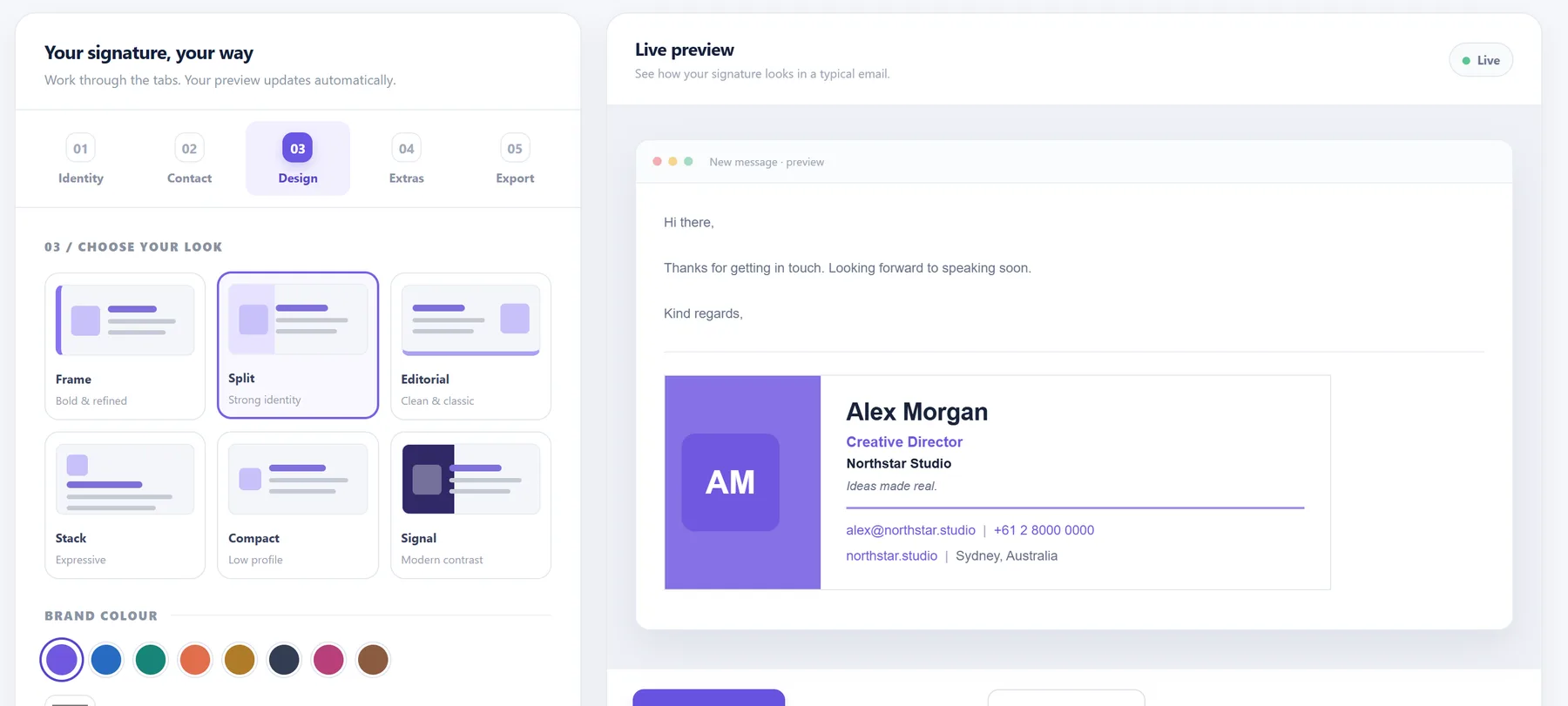
Sample signature for a fictional company. Your own details replace it.
How it works
A finished signature in three steps
All in one browser tab, with a live preview as you go.
Send yourself a test email before you use it with clients.
Signum
Add your details
Your name, job title, company, phone, website and social links. Add a logo, a photo, a booking link or awards if you want them. Only what you fill in appears.
Signum
Choose a look
Pick one of six layouts, then a brand colour, a background and an email-safe font. The preview shows the signature inside an email as you go.
Signum
Copy it into your email
Copy the formatted signature and paste it into Outlook, Gmail or Apple Mail. You can also download the HTML or copy a plain-text version.
Product details
Inside Signum
What it does, where your details go and what to know about images.
Free to use
Signum costs nothing and has no paid tier. An optional “Created with Signum” link can go under your signature; it stays off unless you turn it on.
Your details stay on your device
Signum runs in your browser and saves your design there, so it’s ready next time. Save a settings file to move it to another computer. Your details aren’t sent to NovaSoft.
Built for email apps
Signatures are made from simple tables and inline styles, the way email apps expect, with email-safe fonts and links shown as clear text.
Images need a home online
A logo you upload previews fine, but some email apps, Outlook in particular, drop uploaded images. For a logo that always shows, paste the address of an image on your website.
Common questions
Adding your signature to your email
Copy the signature in Signum first, then follow the steps for your email app.
How do I add my signature to Outlook?
In Signum, choose Copy signature. In new Outlook or Outlook on the web, open Settings, then Accounts, then Signatures, paste it in and save. In classic Outlook for Windows, go to File, Options, Mail, Signatures. Menus vary a little between versions.
How do I add my signature to Gmail?
Choose Copy signature in Signum. In Gmail, open Settings, choose See all settings, and on the General tab find Signature. Create a new signature, paste it in, then choose Save Changes at the bottom of the page.
How do I add my signature to Apple Mail?
Choose Copy signature in Signum. On a Mac, open Mail, then Settings, then Signatures. Select your account, add a new signature, paste it in, and turn off Always match my default message font so your formatting is kept.
Why does my logo not show for the people I email?
Email apps often drop images that were uploaded straight into a page. For a logo that shows reliably, put the image on your website and paste its https address into Signum instead of uploading the file.
Is Signum free?
Yes. Signum is free to use as part of NovaSoft Labs. You can add a small Created with Signum link under your signature if you like; it is off unless you turn it on.
Where are my details stored?
In your browser on your device. Signum saves your design there so you can come back to it, and you can save a settings file to move it to another computer. Your details are not sent to NovaSoft.
Signum by NovaSoft
Make your email signature now
Open Signum in your browser. It’s free, and your details stay on your device.