01 · Build the right machine
We spec and build the machine around your team, workload and budget, then install and set everything up.

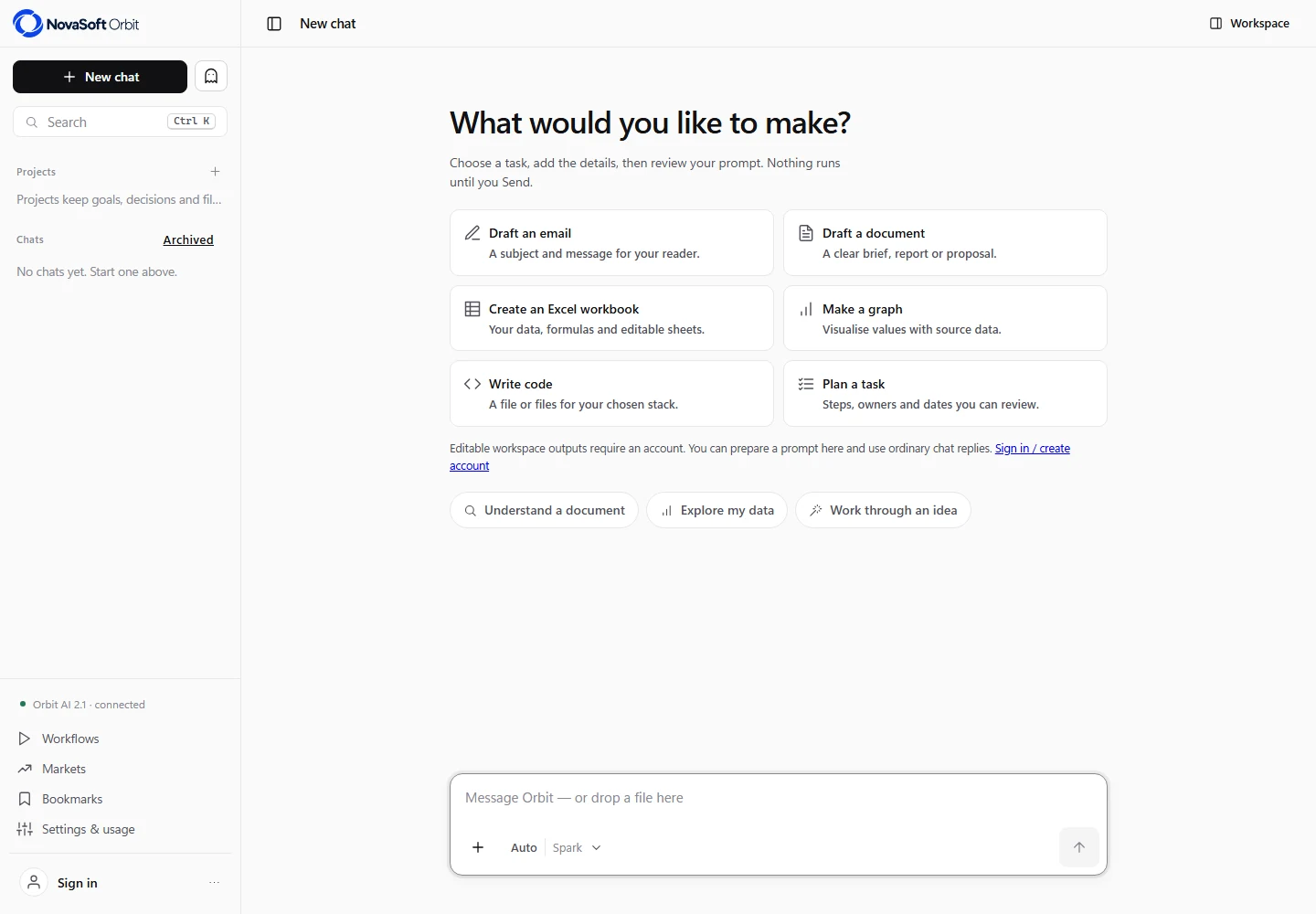
Chat, documents and project work
Ask questions about your files, write documents and work through spreadsheets with AI. Orbit keeps the chat and everything it produces in one place, with sources you can check and files you can download.
Web workspace available now · Desktop apps in development · Private installations by enquiry
Private AI for your business
Want AI that never leaves your office? We can build a dedicated computer, install Orbit on it with a local AI model, and tailor it to your business.
We spec and build the machine around your team, workload and budget, then install and set everything up.
We choose a suitable AI model that runs on your own equipment, with licensing sorted.
We set up Orbit’s tools and layout to suit how your company works, plus user access, security and backups.
From the actual platform
Your files, documents, project notes and to-dos sit beside the chat, so nothing gets lost in a long conversation.
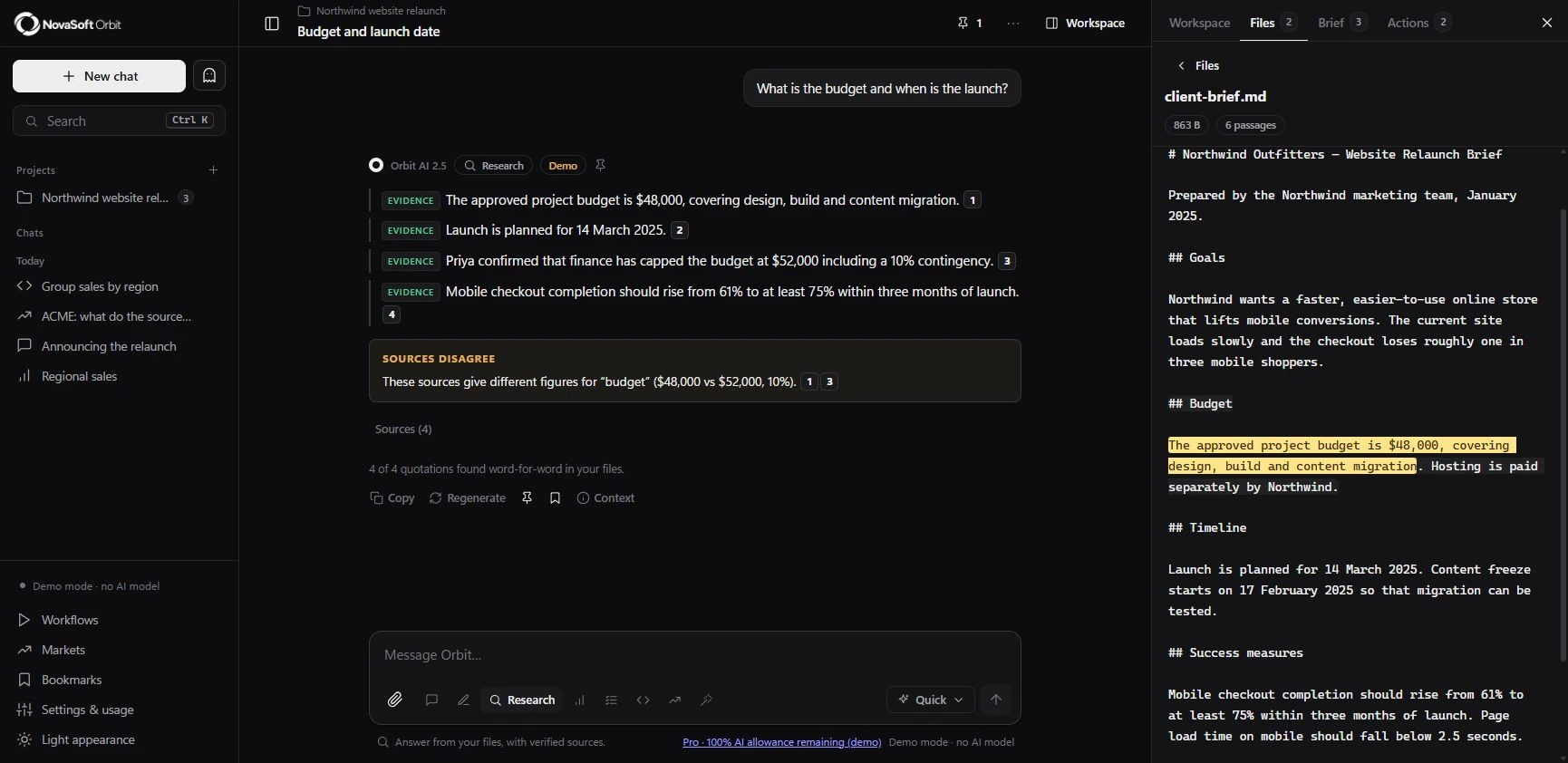
Ask a question and Orbit answers from your files, quoting the exact passages. Click a quote to see it in context. Orbit tells you what’s directly supported, what’s inferred and where your sources disagree.
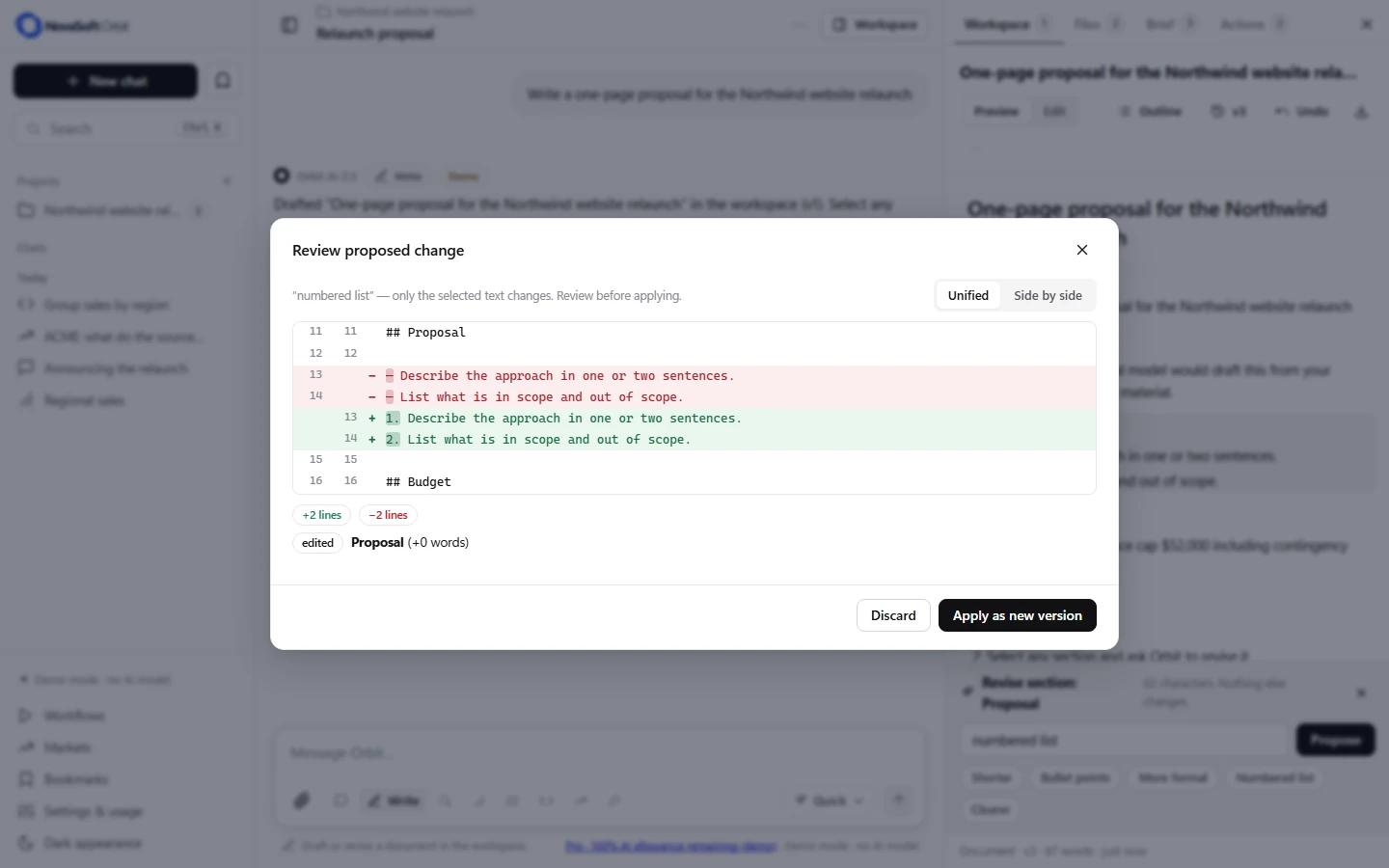
Highlight a section and ask for a change. Orbit suggests a revision you can compare before accepting, and you can always go back to an earlier version.
Keep your goals, decisions and next steps in a project brief, so you can pick up exactly where you left off.
Orbit AI 2.5
Agent mode can search and read your files, do calculations and analyse tables, showing every step. It can create new drafts, and suggests changes to existing documents for you to approve.
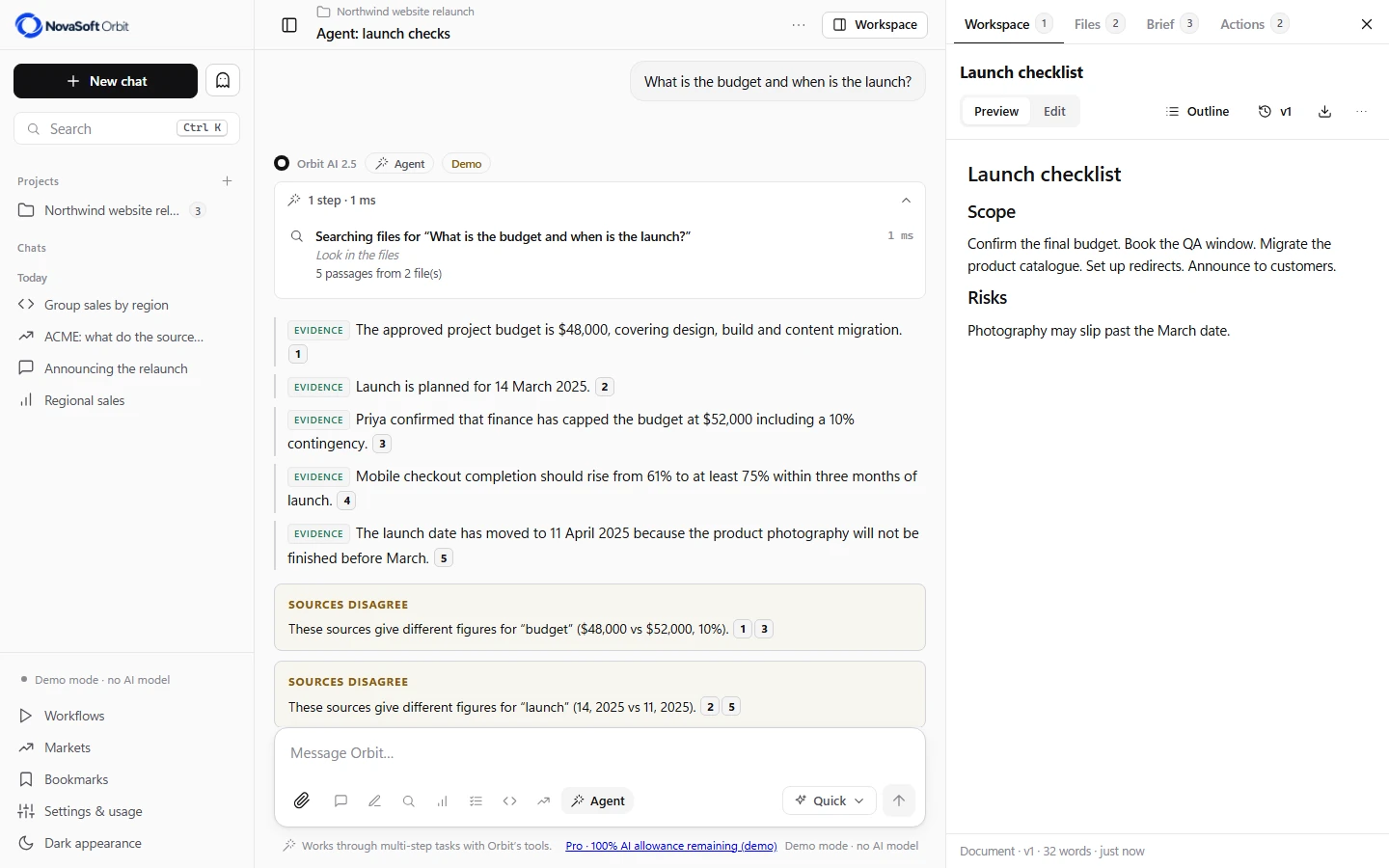
Plans become drafts in the Action centre. Approving one records your decision; it doesn’t send anything or change other apps.
“Orbit AI 2.5” is our name for the assistant. It runs on established AI models; we didn’t train the model ourselves. The preview shown here uses scripted demo replies.
Agent mode cannot browse the web, run code, send messages or publish a website.
Eight work modes
A conversation with persistent history, search and bookmarks.
Develop a workspace document with revisions and version history.
Ask questions of your files and inspect the quoted evidence.
Profile attached tables and review calculations made by Orbit’s own code.
Break a goal into tasks you can turn into local drafts.
Write and explain code, then save it to the workspace. Code is never executed.
Review evidence from supplied sources and try simulated paper trades. No live market data or trade execution.
Work through a task with local tools and visible steps.
DATA AND OUTPUTS
Online Orbit saves your work to your account. A private installation keeps it on your own hardware instead.
Orbit only sends the AI what it needs for each task. Check Orbit’s privacy information before adding anything sensitive.
Documents and spreadsheets keep a full version history, and you can download them as Word, Excel, CSV or images.
A local AI model, set up by us, handles your work on your own hardware. Access, licensing and security are agreed for your installation.
AVAILABLE ONLINE
Yes. Orbit is online now for chat, research, documents, spreadsheets, charts and projects. Desktop apps are still in development.
Free includes a monthly Spark allowance. Starter is A$9.90 per month and Pro is A$19.90 per month, in Australian dollars. Prices checked 2 November 2026; check Orbit for current billing terms. Enterprise Local is quoted separately.
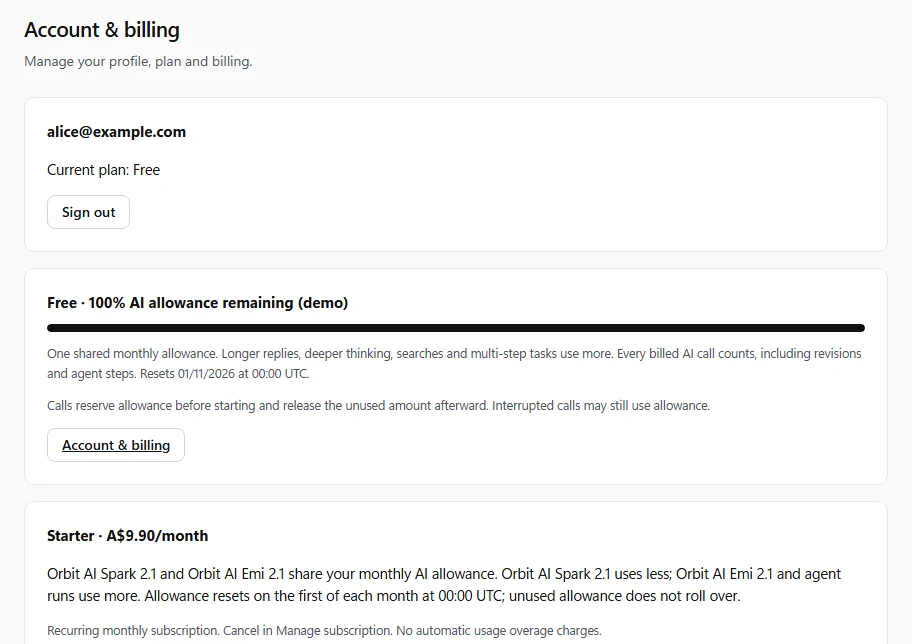
Start a document, spreadsheet, chart or task plan, edit what Orbit produces and download it in the format you need.
On Pro, you can run up to four AI tasks at once in separate chats or tabs.
Online, your work is saved to your account. With a private installation, it stays on your own hardware.
Health and Clinical are not released healthcare services. Image generation and Gmail connection are not advertised as available here. Check Orbit’s current availability notes.
WEB WORKSPACE AND DESKTOP PREVIEW
Real application views, with the web workspace and the native desktop preview labelled separately.
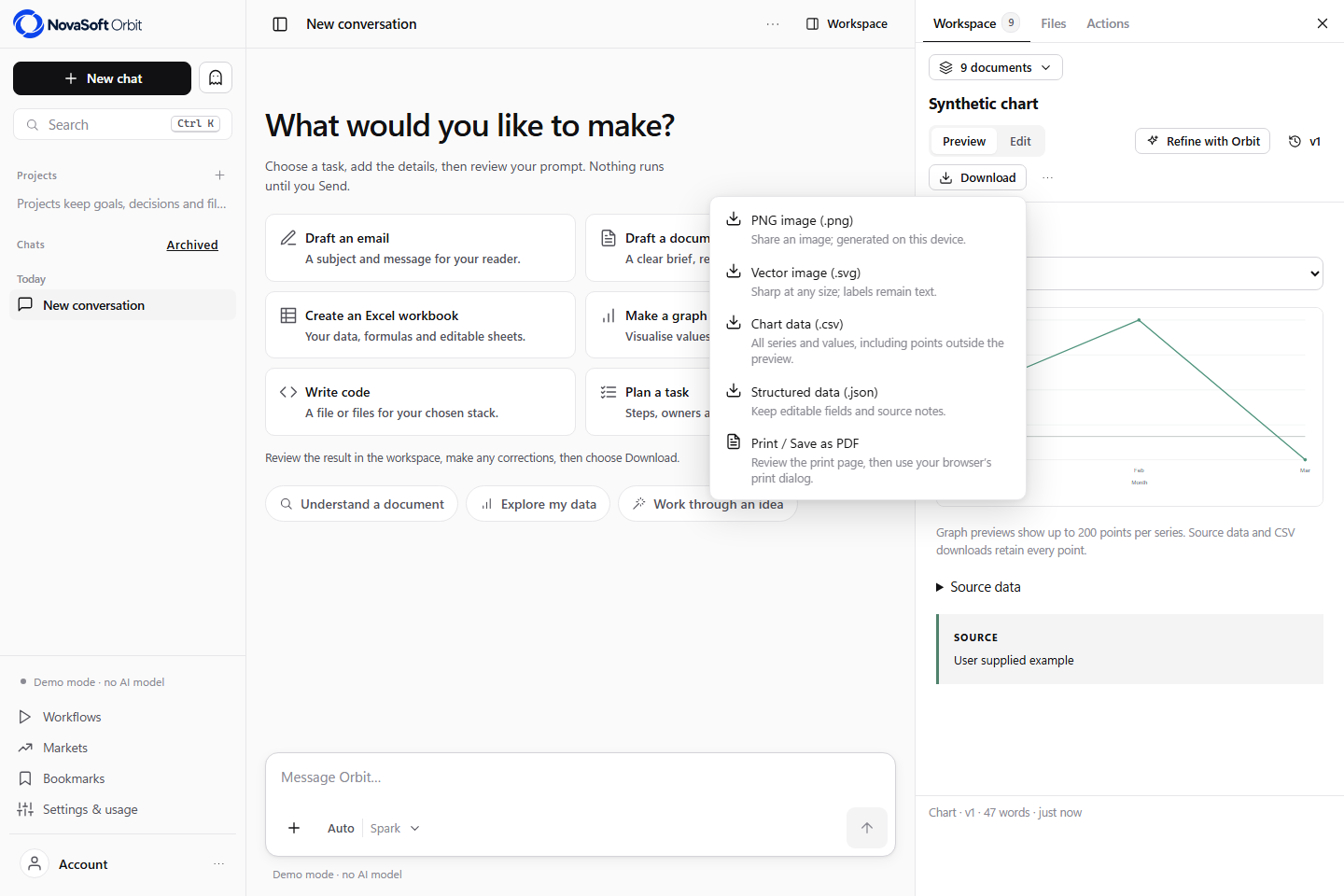
Actual web interface with a synthetic chart and editable output controls.
Open full screenshot ↗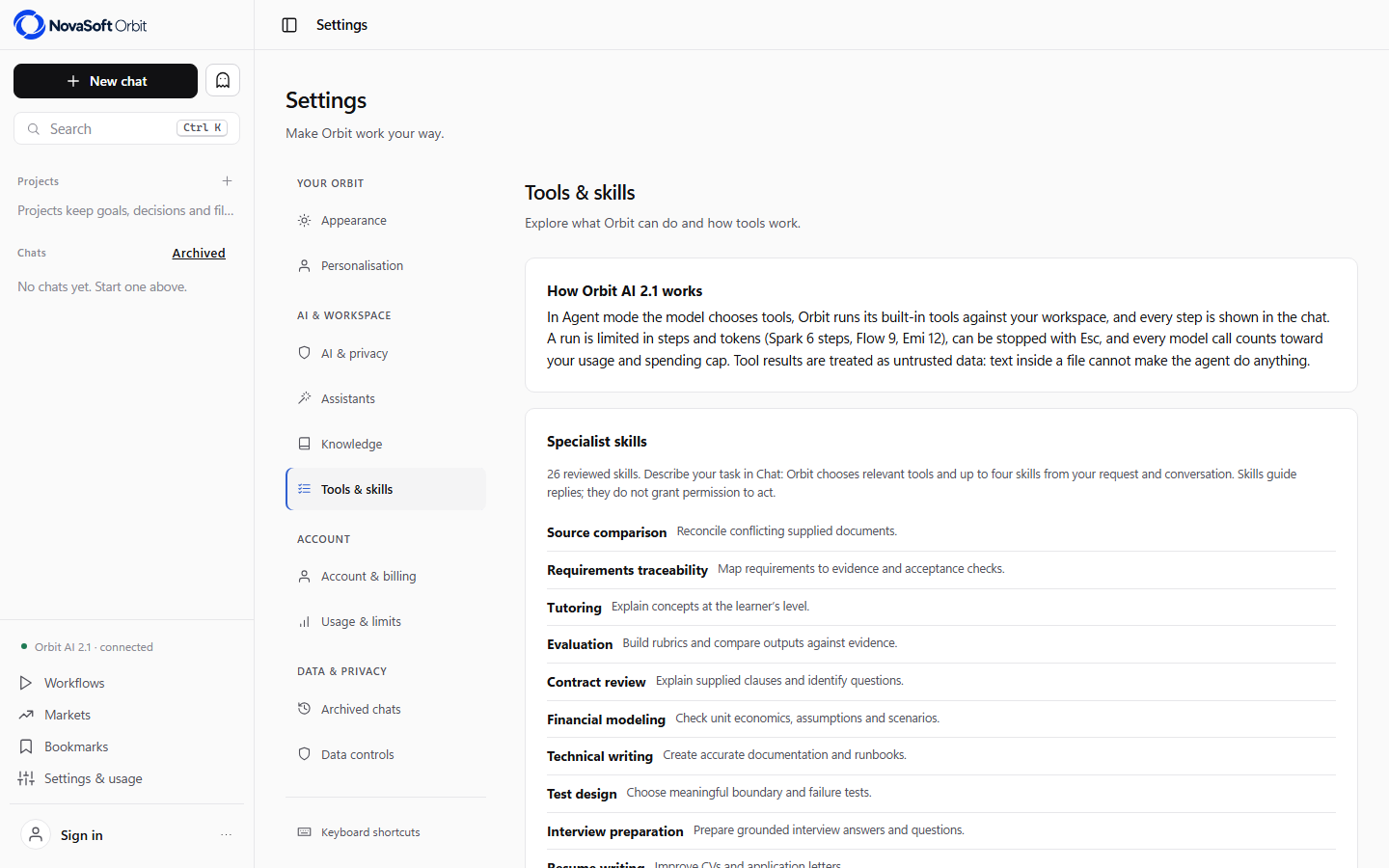
Hosted tools-and-skills view, captured during the 19 October release checks.
Open full screenshot ↗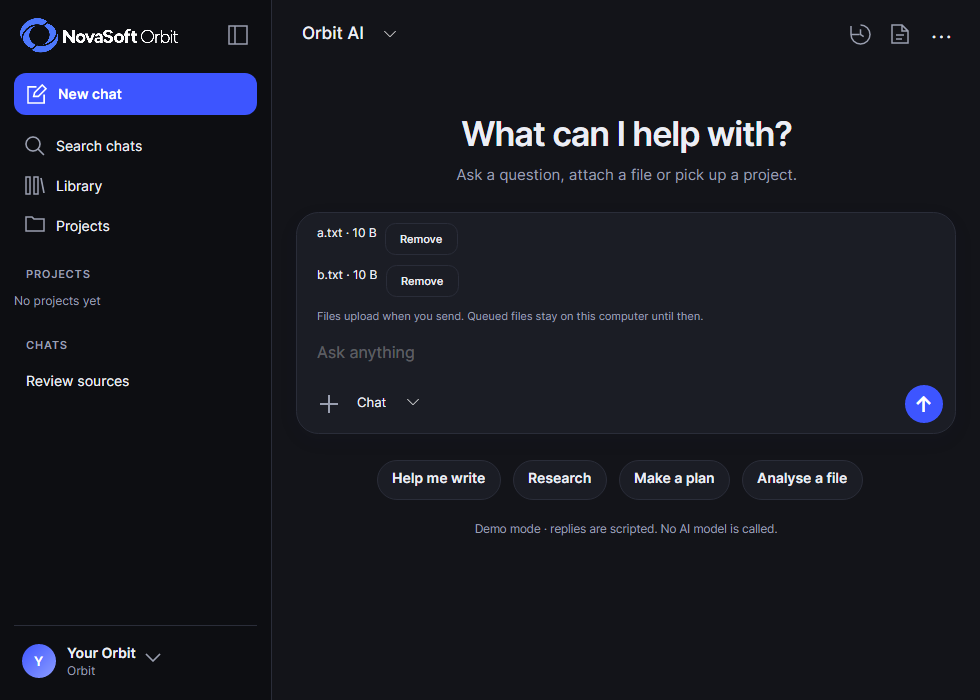
Native desktop 0.3 development preview with a synthetic attachment queue. The files wait for the Send action.
Open full screenshot ↗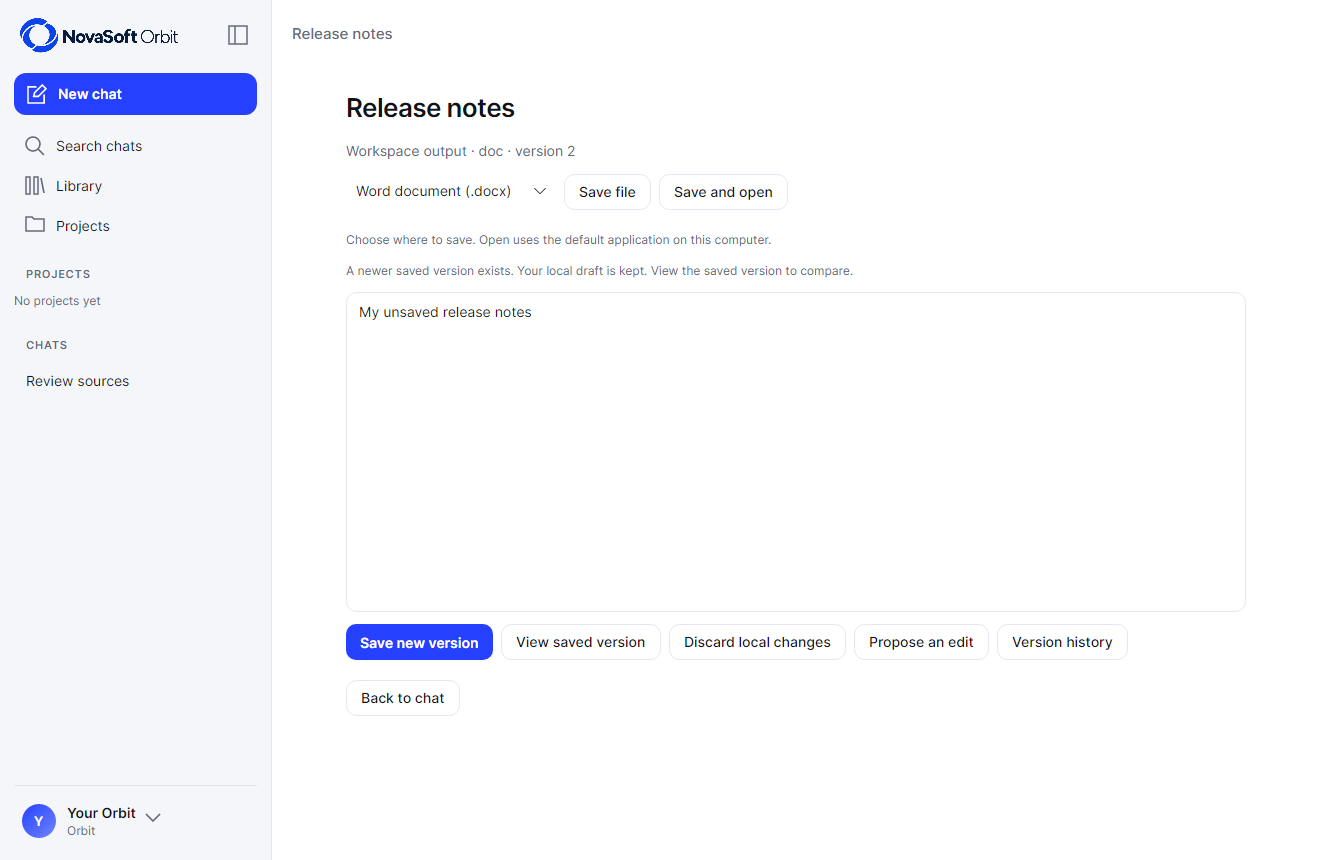
Native desktop 0.3 development preview. A newer saved version leaves the local draft available to compare; these apps are not public downloads.
Open full screenshot ↗The desktop screens are development builds, not public downloads, and the research screens use sample files. They don’t show AI accuracy or suitability for clinical use.
Open Orbit online to create a free account and see the current plans. Private installations are quoted separately. See current Orbit plans
Yes. We can build a dedicated machine, install a local AI model and tailor Orbit to your business, so your prompts and documents stay in-house. Access, security and licensing are all agreed as part of the setup.
Enquire about a private Orbit installationNo. It confirms the quoted words really are in your file, not that the file itself is right or that the interpretation is correct. You can always open the source and judge for yourself.
No. Orbit is a separate product from the AI built into NovaSoft One or Sites, with its own account and data settings.
Orbit shows every step an agent takes, and you can stop it at any time. It can’t act outside Orbit unless a connection is clearly available in your settings.
Talk to a NovaSoft technician
Tell us about your team, what you’d like AI to help with and where the machine would go. We’ll recommend the hardware, model and setup.
Prefer email? contact@novasofttechnologies.com