Save the original thought
Write enough to recognise the idea later. Keep the wording that made it interesting rather than polishing it into something generic. A rough sentence is useful if it preserves what you meant.

MindSafe workflow guide
Learn how to capture an idea, find it in the Vault and use Rediscover.
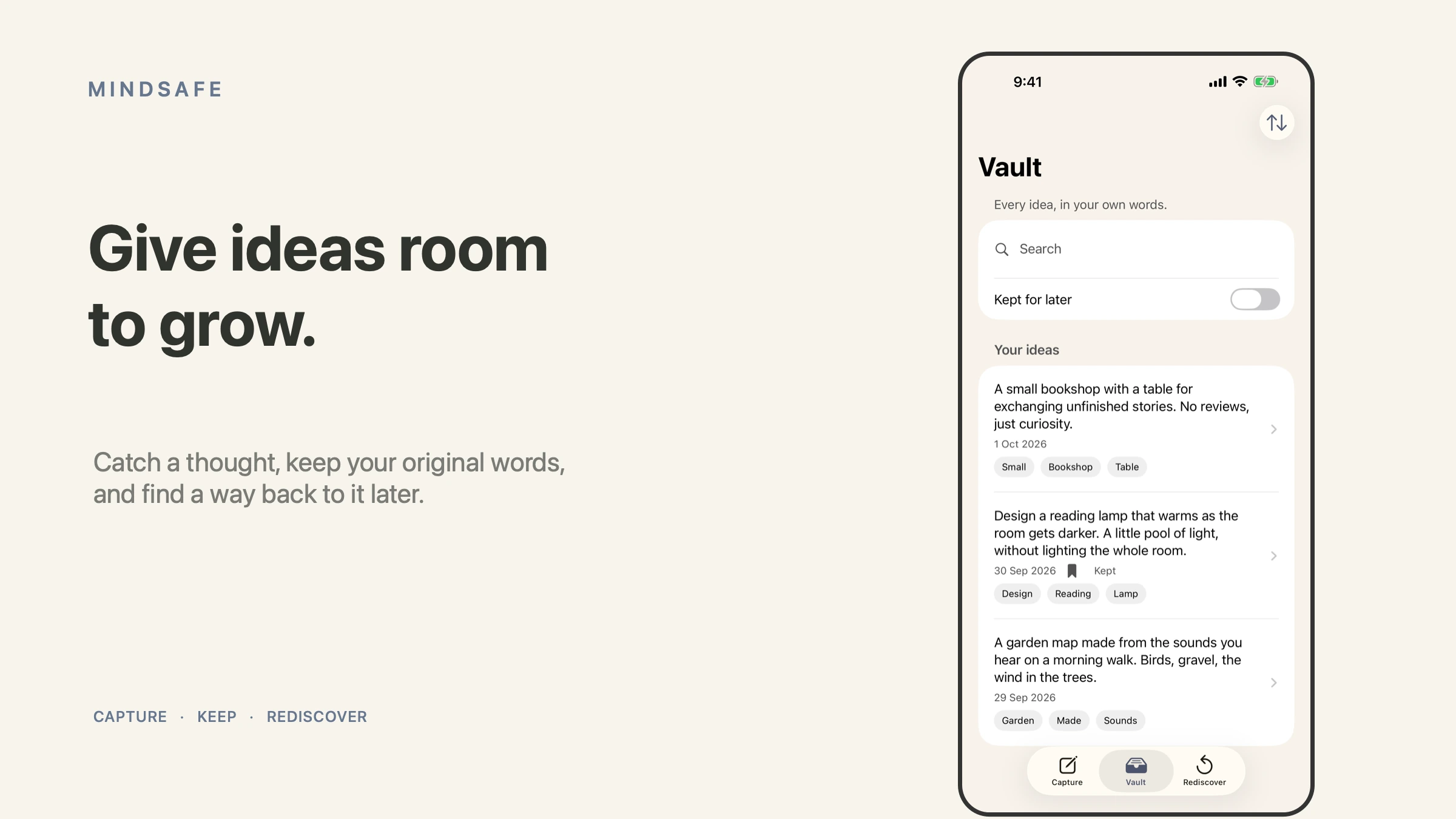
MindSafe is a personal idea vault. Its Capture, Vault and Rediscover workflow is useful when an idea arrives before you have time to develop it. Start with a thought you want to keep, not a complicated system for organising every possible subject.
Use the official App Store listing to check the available release, device compatibility and purchase options. The examples below follow the refreshed app screens and do not depend on a particular button position.
Write enough to recognise the idea later. Keep the wording that made it interesting rather than polishing it into something generic. A rough sentence is useful if it preserves what you meant.
Include where the idea might be useful or what prompted it. A product name, project or concrete example gives you something to search for when your memory of the moment has faded.
Browse or search your saved thoughts when you need material for a project. Use the words you originally associated with the idea, then read the saved context before deciding what it means now.
Bring a saved idea back into view when you have time to consider it. Decide whether to develop it, leave it for later or recognise that it no longer fits your priorities. There is no streak to maintain.
“Website idea” is difficult to search or assess later. “A short product comparison that helps a solo operator choose between UPly and One” preserves the useful thought and the intended audience. It does not need a finished outline to be worth keeping.
When you return to an idea, separate the original wording from the next piece of work. You may use another planning or writing tool to develop it. MindSafe’s role in this workflow is to preserve the thought and make it available again.
Avoid turning every saved thought into an obligation. An idea vault can contain unfinished possibilities. Review when it helps the work you are doing, rather than because the collection needs constant attention.
MindSafe is for personal written ideas. If your source is a recorded conversation and you need transcription, working notes or links back to the original words, explore WordHeld’s current Windows beta. These are different workflows; this guide does not describe an automatic transfer between the products.
No. It is an idea capture and rediscovery app. The workflow described here does not provide treatment or professional care.
Check the individual app’s privacy and storage information before entering sensitive material. Keep credentials and account recovery codes in an appropriate dedicated tool.
Keep exploring
Product support
Tell us the product and version, and what you’re trying to do.