
Why we built Labs
Much of our work at NovaSoft is helping small organisations get the basics right: training staff to spot scams, documenting networks properly, handing over IT cleanly and keeping backups that actually restore. Labs puts the tools we would want for that work in front of everyone, for free.
Labs is free to use, with no ads. Your projects and quiz progress are saved in your own browser rather than on our servers.
Flagship: training your staff can use
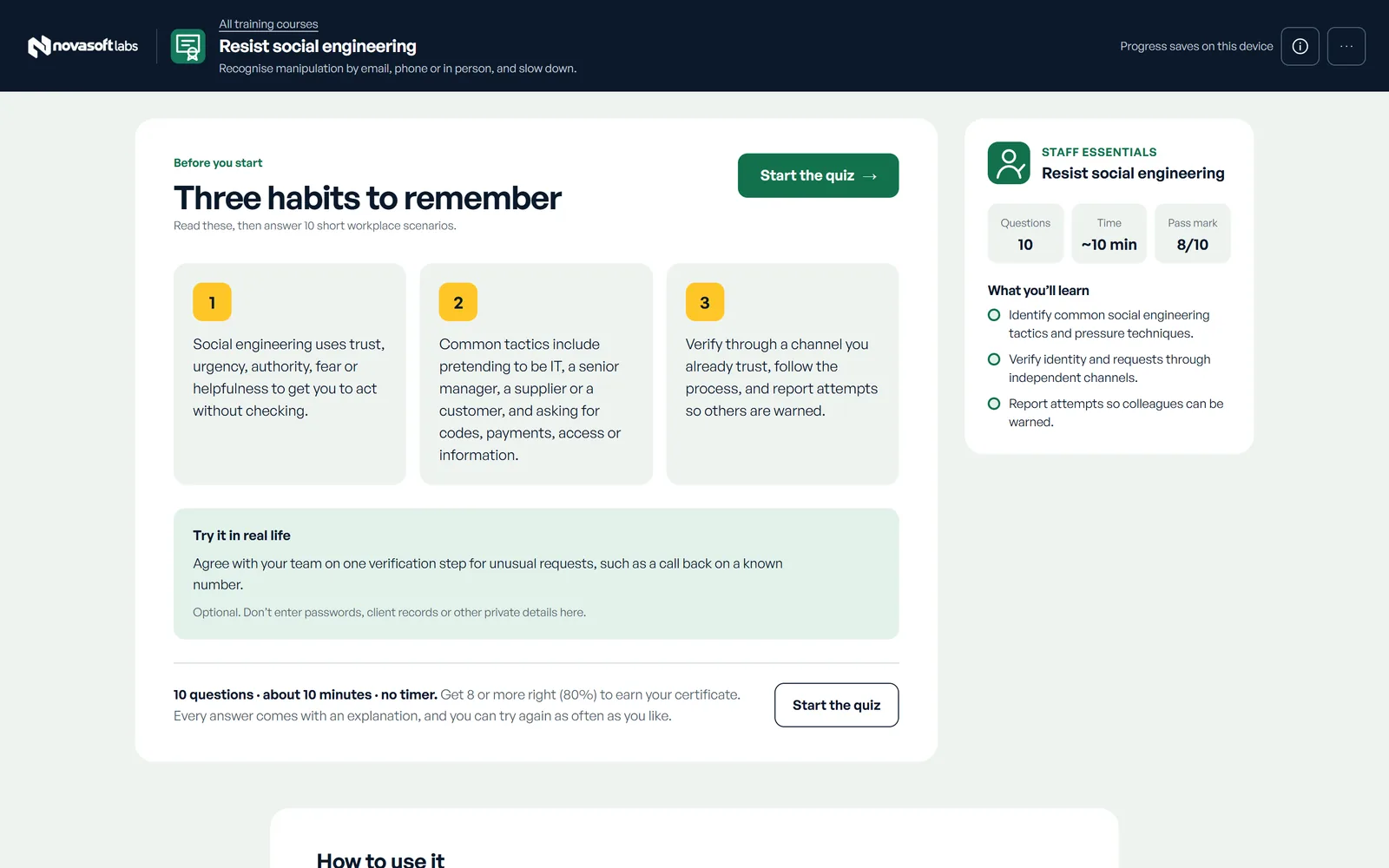
Training has 40 courses across seven topics: Staff essentials, spotting scams, protecting accounts, looking after devices, working with confidence, everyday tech skills and life in a digital world. The ten Staff essentials courses are written for workplaces, including handling personal information at work, spotting and reporting a data breach, resisting social engineering and verifying customers before you help.
Every course follows the same shape. It states three learning objectives, gives three practical habits, then asks ten realistic workplace scenarios. Each answer comes with an explanation. Pass with 8 out of 10 to print a named certificate with a unique reference. Questions and answers are shuffled for every attempt, and you can retry as often as you like.
Browse the courses · How to give your staff training with Labs
Flagship: evacuation diagrams
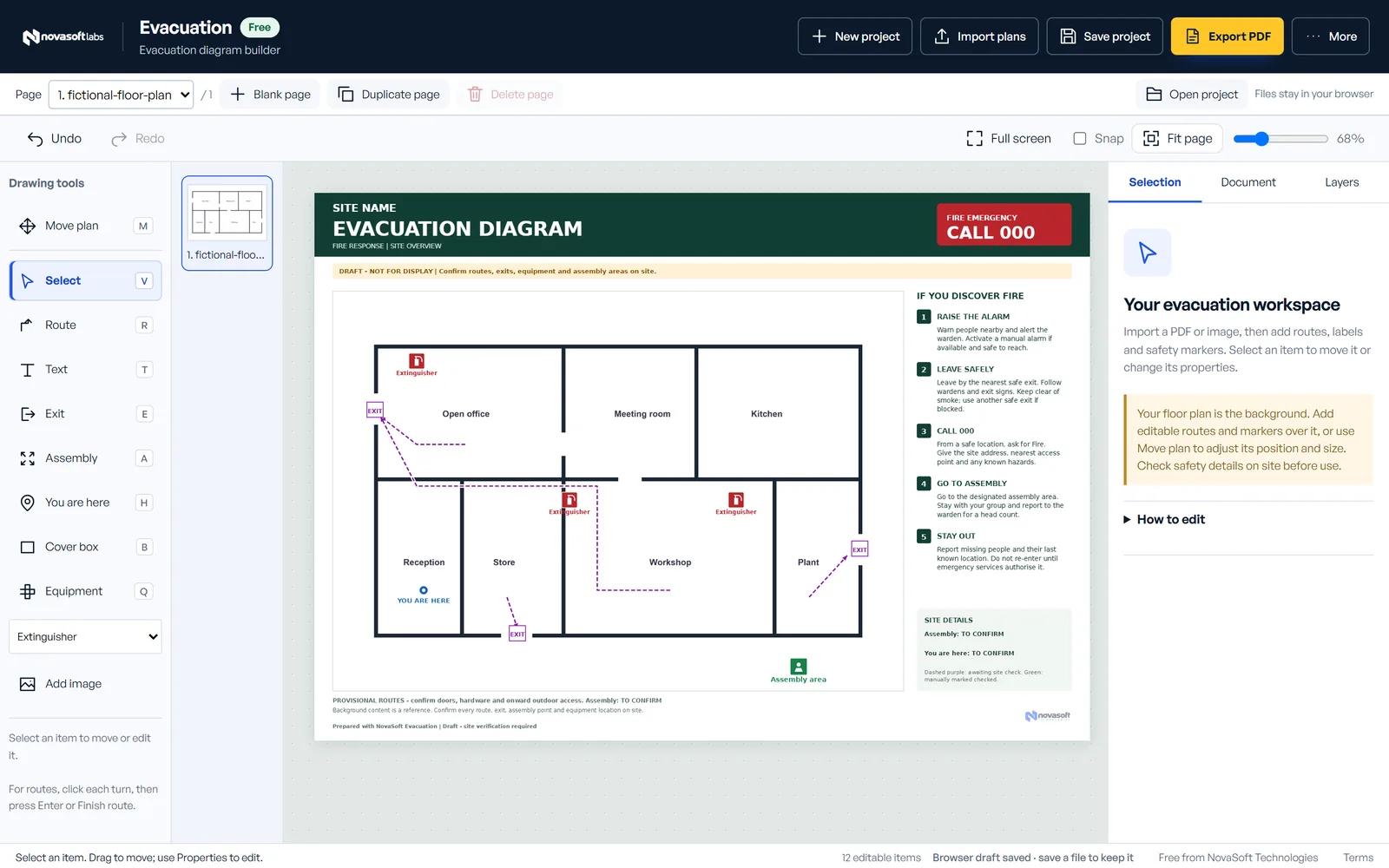
The evacuation diagram builder imports a floor plan as a PDF, scan or photo, then lets you mark exit routes, exits, fire equipment, the assembly area and a “you are here” point. It exports a print-ready A4 or A3 PDF. Projects can have several pages for larger sites.
The builder helps you draft a diagram. It doesn’t certify compliance with Australian Standards, so have a competent person check every route and exit on site before you display it.
Open the evacuation builder · How to make an evacuation diagram
Tools for client IT, plans and records
| Area | Tools |
|---|---|
| Client IT work | Client IT handovers, network diagrams, rack and patch panel planning, Wi-Fi surveys, device intake and repair, backup recovery drills |
| Plans and layouts | Evacuation diagrams, event and market layouts, room and furniture planning, property services maps |
| Records and workshop | Property handbooks, a home contents inventory and a cut list planner |
| Practice | Incident practice, where your choices in a fictional incident change the outcome |
The builders work with a mouse, keyboard or touch screen, and their printed and exported files carry a small NovaSoft mark.
Your work stays on your device
Labs doesn’t need an account today. Projects, photos and quiz progress are saved in your browser. Download a backup to keep a copy or move to another computer. Backups are not encrypted, so store them somewhere private.
Common questions
Is NovaSoft Labs really free?
Yes. Every course and tool is free to use, with no ads. Printed and exported files from the tools carry a small NovaSoft mark.
Do I need an account?
Not today. Labs saves your work and quiz progress in your browser. Download a backup if you want a copy or need to move to another computer.
Can I use Labs on a phone or tablet?
Yes. The courses are designed to be taken on a phone, and the builders support touch, with tools and settings in panels at the bottom of the screen.
Are the certificates accredited?
No. A certificate records that someone passed a self-directed course with at least 8 out of 10. It has a unique reference, but it isn’t an accredited qualification or an identity check.
Where do the course facts come from?
Each course lists its sources, mostly Australian government guidance from the Australian Signals Directorate, Scamwatch, the OAIC and eSafety. The scenarios themselves are original and fictional.
Get started
Open NovaSoft Labs, pick a course or a tool and start. If you would like help rolling training out to your team, or have an idea for a tool, get in touch.