Capture
Start recording, or import an audio file.

OUR WORK / PRODUCTIVITY TOOLS

AI transcription that runs on your own computer, turning recordings into editable transcripts and notes you can check against what was actually said.
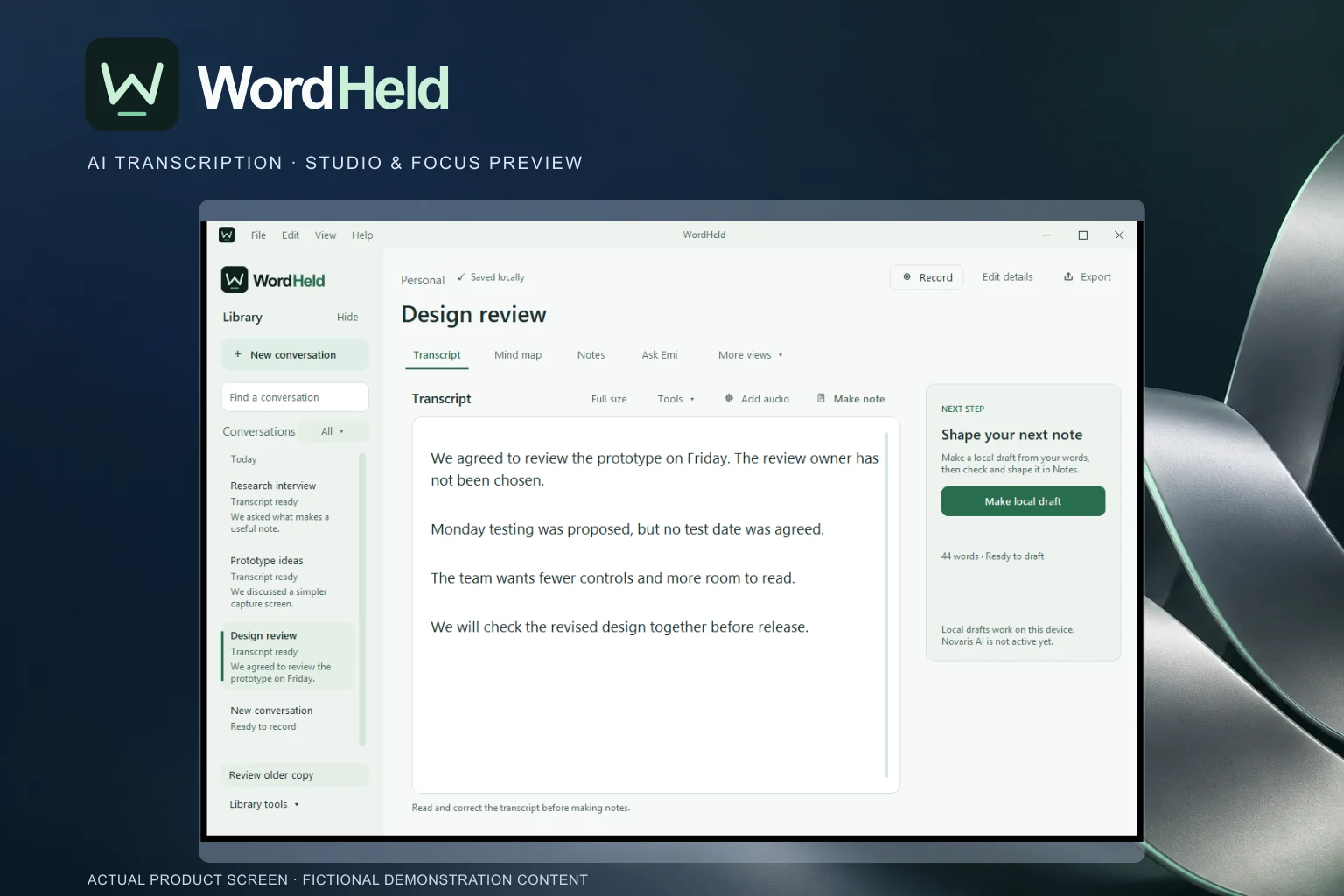
After a meeting, what was said ends up split between a recording, scribbled notes and memory. WordHeld keeps the recording and the notes together, so you can check exactly what was said before acting on a summary.
Record or import audio on Windows and WordHeld transcribes it on your computer after a one-time download. You get an editable transcript, summary, notes and next steps, each linked to the exact moment in the audio.
Emi, WordHeld’s search assistant, finds the right moment across all your saved conversations. The mind map gives you another way to jump to any topic in the transcript.
WordHeld is an early Windows prototype with no public download. Recordings and notes stay on your computer, with no cloud sync. Current Windows libraries protect stored recordings and notes, though older copies and exports still need care. WordHeld is not clinically validated, so think carefully before using it for sensitive material.
THE PRODUCT IN VIEW
Start recording, or import an audio file.
Fix the transcript and edit the summary, notes and next steps.
Jump back to the exact moment in the audio whenever you need to check.
Sample next steps in the Windows evaluation prototype.
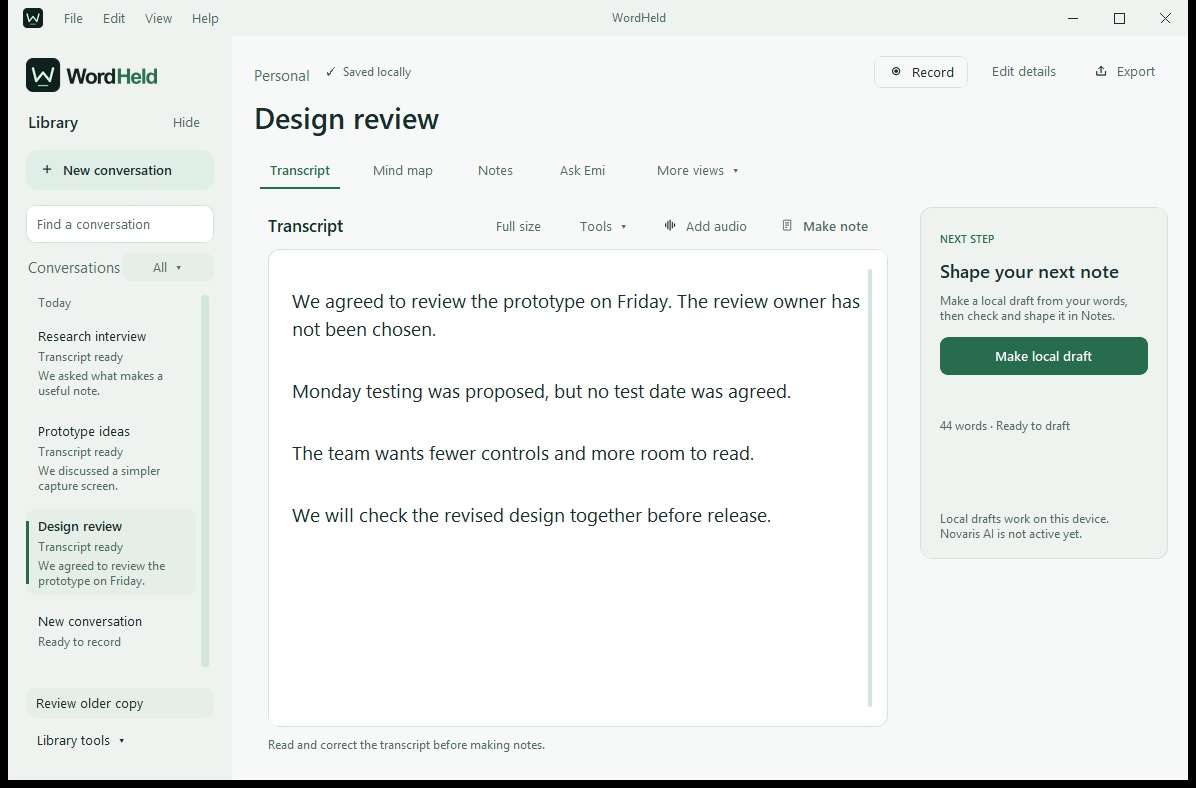 View full screenshot
AN EARLIER WORKFLOW, ON VIDEO
This 40-second clip shows an earlier design with a made-up clinical note. It shows reviewing and exporting a note, not live recording, AI or clinical use.
Fictional sample information, with the original piano/ambient soundtrack and English captions. Clinical development remains parked.
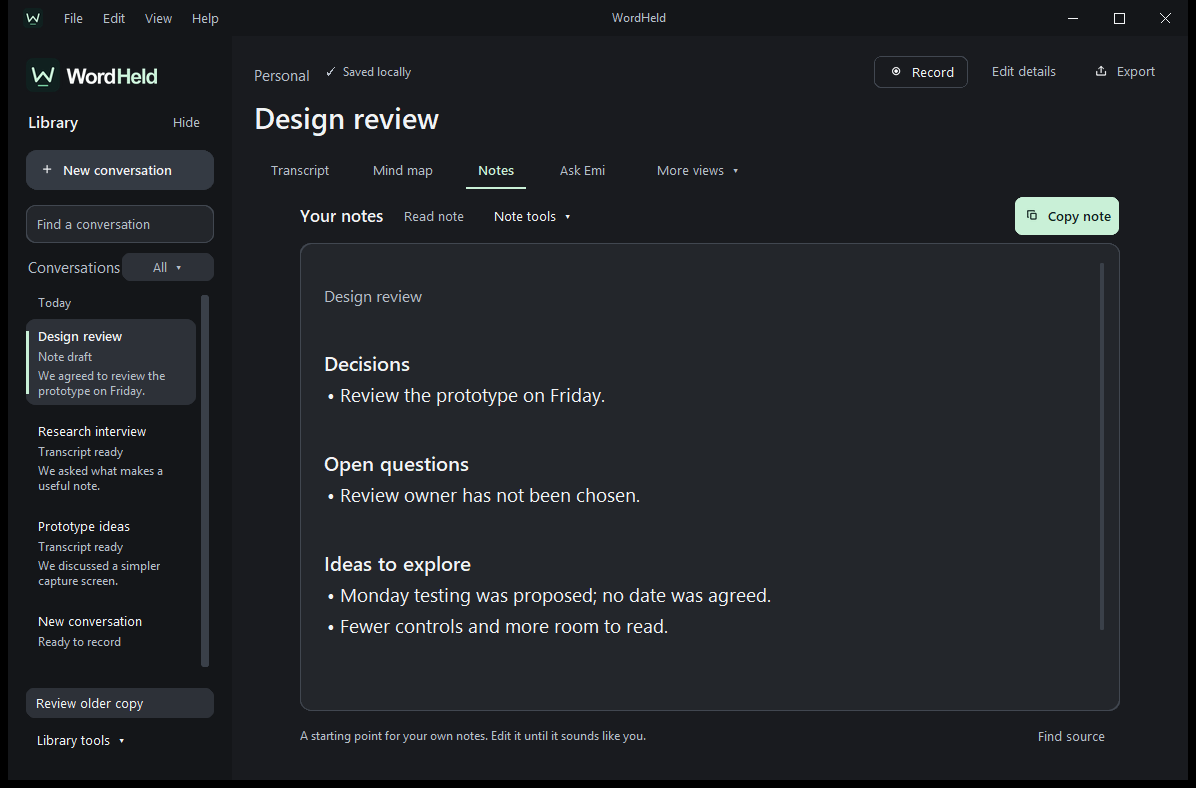
A separate preview for working on notes. Not yet available to download.
Open full screenshotEXPLORE WORDHELD
View the screenshots, workflow and current availability.