Make the screen comfortable
Review text size and appearance on the actual iPhone. Ask the person to read a step and find the way to continue. Choose the settings that make the familiar routine easiest for them to follow.

MemoryMate workflow guide
A gentle introduction to the app’s routine guides and repeating reminders, for the person using it and anyone helping them get started.
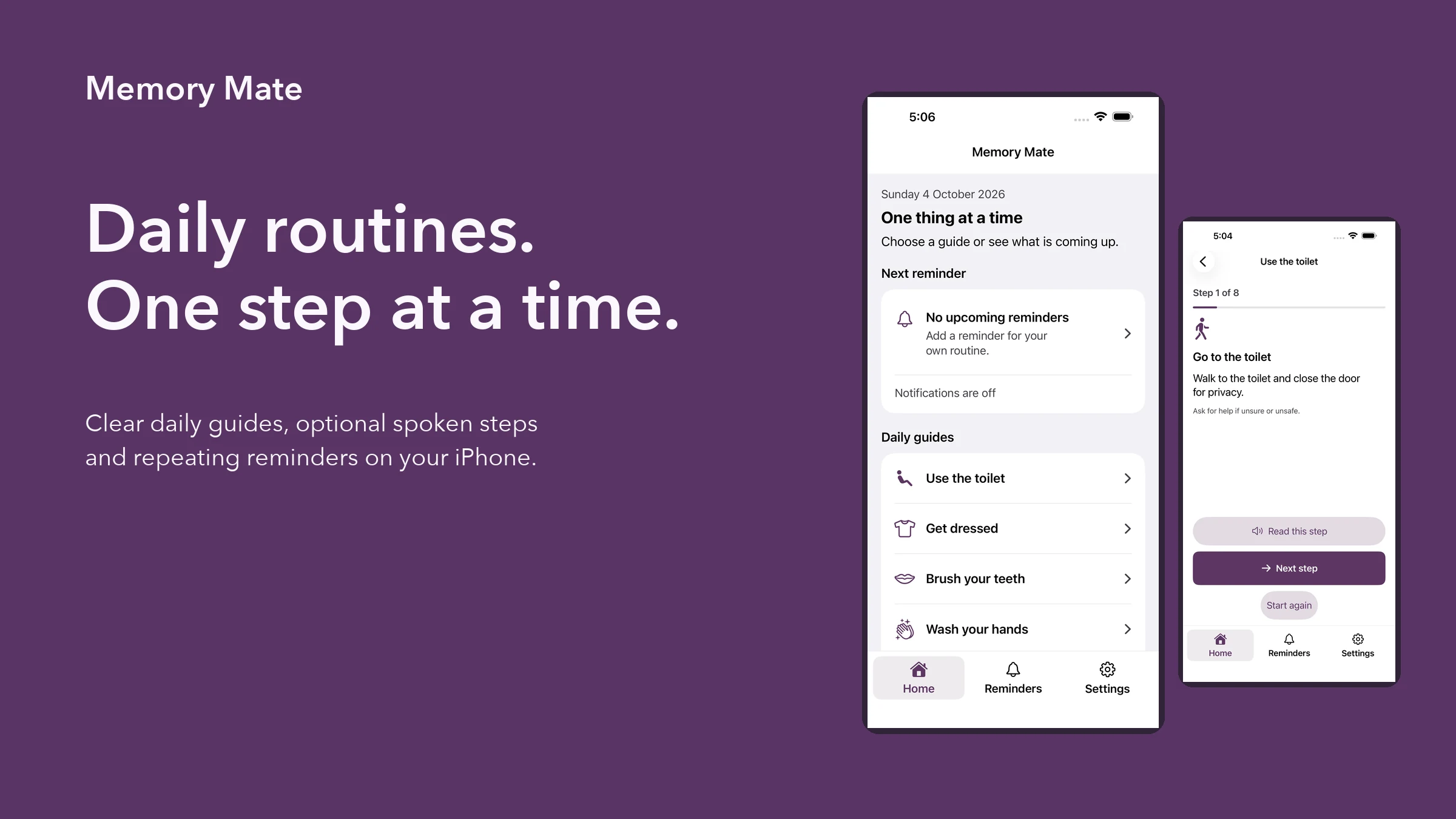
MemoryMate is NovaSoft’s free goodwill app for everyday routine support, designed with dementia in mind. It offers clear daily guides, optional spoken steps and repeating reminders. It is free now and will remain free.
Choose a guide for a routine the person already recognises. If you are helping someone set up the app, work through it together at their pace and check that the wording and display are comfortable for them. This guide explains the app; it does not prescribe a care plan.
Review text size and appearance on the actual iPhone. Ask the person to read a step and find the way to continue. Choose the settings that make the familiar routine easiest for them to follow.
Open a daily guide and take one step at a time. Use the optional spoken guidance if it is helpful. Check the iPhone’s volume and audio behaviour in the place where the routine will normally happen.
At the end of the guide, review the options to return Home or begin again. A short first trial helps the person recognise how to leave the guide and find it again later.
Review the reminder’s timing and whether it is enabled or paused. Check the app’s visible notification permission status and the iPhone settings, then verify that a test reminder appears as expected.
Notification permission and iPhone settings affect alerts. If reminders stop appearing, review those settings and the reminder’s enabled or paused state before relying on it again. Repeat the check after changing the phone or notification settings.
Keep a separate reliable arrangement for important routines. MemoryMate does not monitor health, detect whether a routine was completed safely or automatically contact carers. A notification is an aid to a routine, not confirmation that another person has been informed.
Saved reminders, guide progress and check-ins stay on the iPhone in the current experience described on our product page. Before changing devices, check the app’s current information and your device backup arrangements rather than assuming the records will appear automatically.
If the interface is difficult to use, tell NovaSoft which screen or task caused the problem. Describe the barrier without sending personal health records. The support page gives the company contact route, and the App Store listing provides current release and compatibility information.
No. It does not automatically notify carers or provide health monitoring.
MemoryMate is free and will remain free. Check the official listing for the currently available version and supported devices.
Keep exploring
Product support
Tell us the product and version, and what you’re trying to do.